

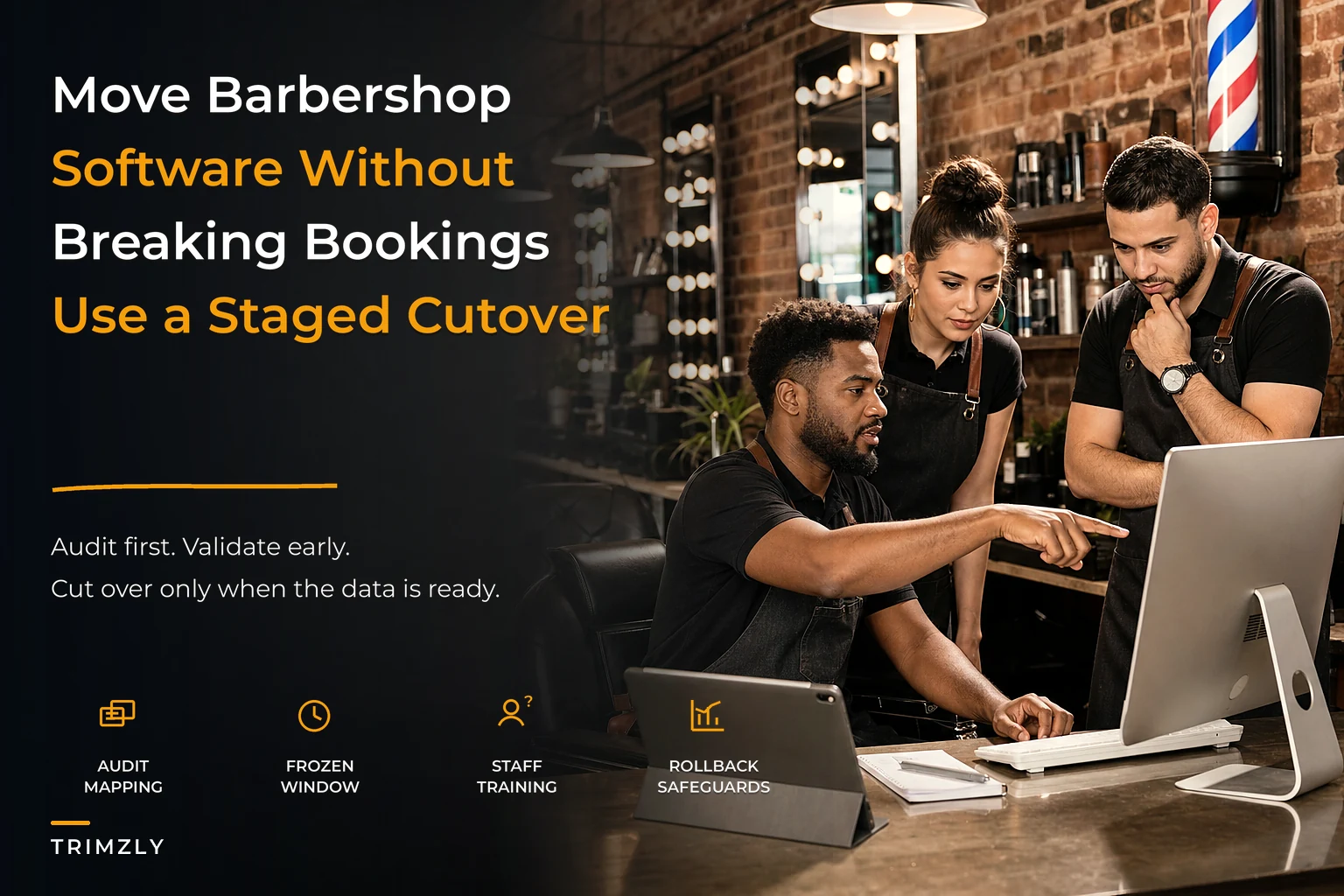

Switching booking or POS systems feels like changing the tires on a moving car. The shop can't close for a week while you sort out data: clients keep booking, barbers keep checking calendars, and card readers keep running.
Most migrations go wrong not because the new software is bad, but because the shop treats it like flipping a switch instead of a staged process. Owners export a spreadsheet, import it, and pray — and the first busy weekend exposes the gaps.
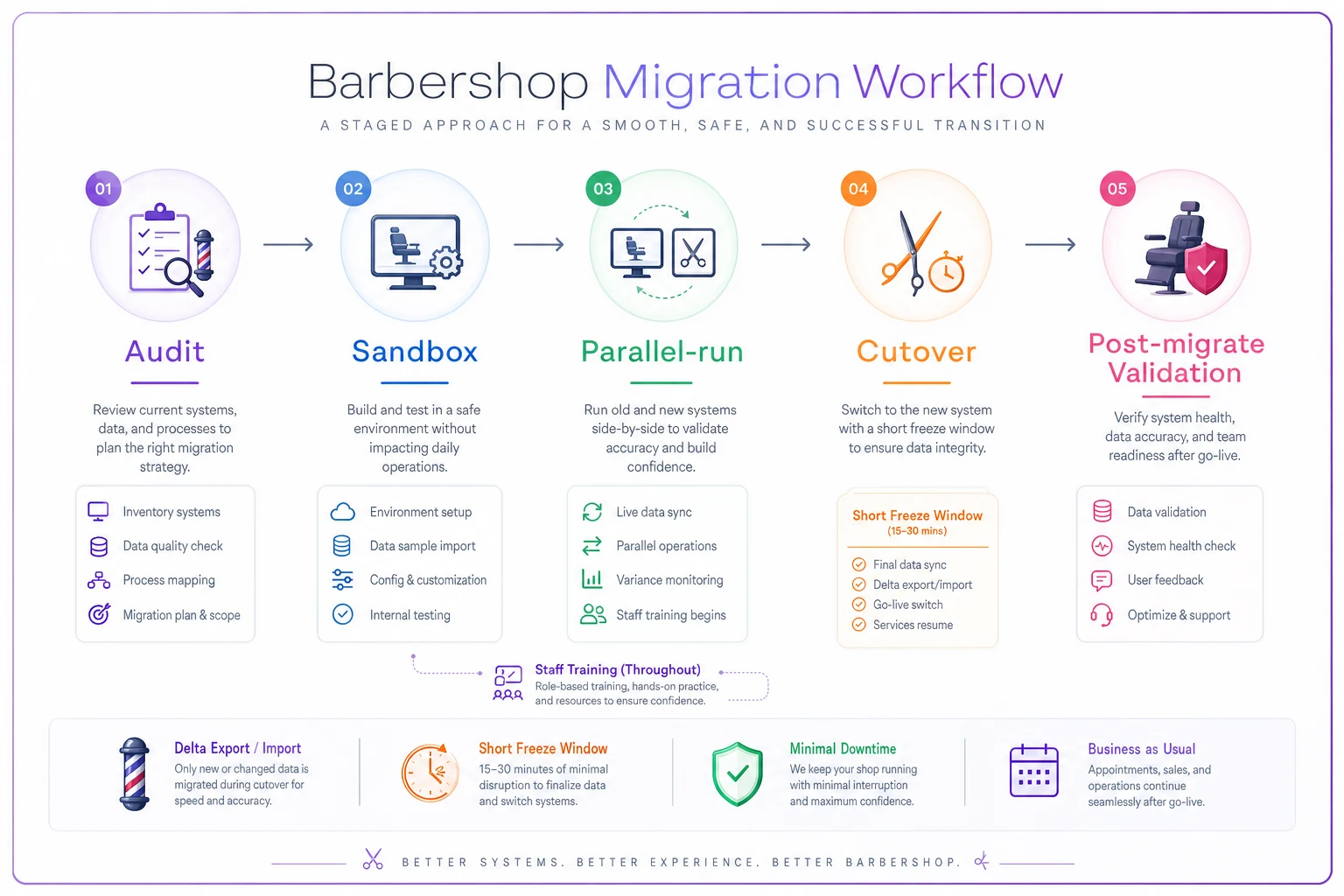
This playbook shows a safe, staged approach: audit, sandbox, parallel-run, cutover, then validate. Follow the sequence and downtime stays close to zero — the errors that usually blindside shops get caught before a paying client ever notices.
Why migrations break barbershops specifically
Barbershops have a data profile that punishes sloppy migrations more than most small businesses. You're not just moving a customer list; you're moving future bookings, money, and the client history barbers rely on.
-
Future appointments already booked weeks out
-
Recurring memberships and their billing dates
-
Gift card and prepaid package balances
-
Client notes, formulas, and style history
-
Commission and payroll splits tied to services
-
Loyalty points and visit counts
Timing is the common failure mode. If you export on Tuesday and go live on Saturday, every booking made between those dates is at risk unless you capture the delta.
Owners often migrate the obvious data (client list) and miss the small gaps — a single future appointment, a half-used package, or a stylist's note — that create angry clients and re-dos in week one.
The five-stage structure at a glance
| Stage | Goal | Shop stays open? | Biggest risk if skipped |
|---|---|---|---|
| 1. Audit | Know exactly what data you have and what matters | Yes | Migrating garbage, missing hidden data |
| 2. Sandbox | Test import into the new system safely | Yes | Discovering mapping errors on live data |
| 3. Parallel-run | Both systems running, staff practicing | Yes | Staff panic and revert on go-live day |
| 4. Cutover | New system becomes the source of truth | Brief, controlled | Downtime, double-bookings, lost payments |
| 5. Post-migrate validation | Confirm nothing broke | Yes | Silent errors that surface weeks later |
Each stage exists to catch a different kind of failure: skip the sandbox and mapping errors hit live; skip the parallel-run and staff don't trust the tool. None of these stages are optional for a shop with live bookings.
Never miss a booking amidst the hustle.
Trimzly helps you schedule, confirm, and manage every client visit seamlessly.
- Unified appointment management
- Automated client reminders
- Optimized staff scheduling
No credit card required
Stage 1: The audit (do this before you even pick a vendor)
The audit is where you figure out what you're actually moving. Data often lives across booking systems, card processors, gift card apps, spreadsheets, and staff knowledge — list every source, export method, and data quality issue.
Decide what "active" means before you filter records (booked in the last 12 months? 18? has a future appointment?). Write the rule down so you can defend it when a barber asks why an old regular disappeared.
-
Client records (name, phone, email, which phone)
-
Future appointments and assigned barber
-
Recurring memberships and next billing date
-
Gift card and prepaid package balances
-
Loyalty points or visit history
-
Service menu with prices and durations
-
Commission/pay rules per barber and per service
-
Client notes, formulas, and photos
The audit is also your chance to throw out junk. Many shops carry thousands of inactive records; migrating them drags duplicates and bad contacts into the new system and breaks automated reminders.
If you've documented roles and SOPs already, the audit goes faster — you know who owns which data and how workflows run. See Build a barbershop operating system: roles, SOPs, and a 90‑day roadmap to scale predictably.
Stage 2: The sandbox (test the import where nothing breaks)
Build a data-mapping template that says which old field becomes which new field and any transforms. Mapping mistakes silently corrupt records more than almost anything else.
| Old system field | New system field | Notes / transform |
|---|---|---|
| first_name | First Name | trim spaces |
| mobile | Phone (primary) | strip formatting, add country code |
| notes | Client Notes | keep formatting |
| pkg_remaining | Package Balance | verify count matches receipts |
| barber_id | Assigned Stylist | remap old IDs to new staff IDs |
That barber_id remap is sneaky: if Dave is ID 7 in the old system and ID 3 in the new one, forgetting to remap moves Dave's appointments to the wrong calendar.
Use a pre-filled mapping template to speed sandbox work: Download the booking-platform migration mapping template. The template includes realistic example rows you can export as CSV.
-
Phone transforms
strip special characters and format numbers consistently
-
Timezone transforms
export consistent local or UTC timestamps to avoid DST shifts
-
Barber ID transforms
map legacy staff numbers to new team profiles
Validate mappings and screen duplicates in a CSV preview. See Bella Booking's client import docs for an example workflow: https://docs.bellabooking.com/clients
Import a small slice of real data (for example, 100 clients and their appointments), then check everything by hand. Don't import everything yet.
-
Do future appointments show up on the correct barber's calendar at the correct time?
-
Did package balances carry over with the correct count?
-
Are phone numbers formatted so reminders will send?
-
Did client notes and style history survive intact?
-
Are memberships showing the correct next-bill date?
Fix mappings, re-import the slice, and repeat until clean. Pay extra attention to style history and photos — losing those forces barbers back to guessing on next visits.
Stage 3: The parallel-run (both systems live, staff practicing)
Run both systems simultaneously for about one to two weeks. Keep the old system as the official source of truth while staff practice on the new one to avoid data forking.
Decide a strict model: either enter new appointments into both systems, or use the new system as booking-only while payments remain on the old system. Pick one and enforce it.
-
Day 1–2
Owner and lead barber learn checkout, booking, and refunds
-
Day 3–5
Each barber does a shadow session with the lead barber watching
-
Day 6–10
Everyone practices the new system during slow hours; old system stays official
-
Final days
Full dress rehearsal — a complete day operated on the new system with the old as backup
The parallel-run also surfaces who'll struggle with the new tool so you can coach them before cutover rather than during a busy shift.
Stage 4: The cutover (the controlled switch)
Cutover is when the new system becomes official and the old one goes read-only. Pick the lowest-traffic window you have, and never cut over right before your busiest stretch.
The critical technical piece is the delta import — capture everything that changed between your last sandbox export and go-live so no future appointment gets orphaned.
-
Announce a short freeze window to staff (e.g., "no new bookings entered between 8 and 10 p.m. Sunday")
-
Run the final delta export from the old system
-
Import the delta into the new system
-
Spot-check the next 14 days of appointments, barber by barber
-
Verify gift card and package balances against a known list
-
Confirm the card reader and payment processor are live with one real test transaction
-
Flip the old system to read-only; do not delete it
-
Point online booking, Google profile, and website to the new system
That test transaction matters: payment processing failures are where migrations can still cost you real money on Monday morning if the reader isn't connected.
Rollback rules: decide the exit before you need it
Write rollback rules before you flip the switch. The middle of a Saturday rush is the worst time to invent how to recover.
-
What triggers a rollback? Define clear thresholds (e.g., payments failing or missing appointments for more than one barber)
-
How do we roll back? Keep the old system read-only for 2–4 weeks so you can re-enable it if needed
-
Who makes the call? Designate one decision-maker, usually the owner, to avoid rollback-by-committee
A clean staged migration rarely needs a full rollback. The plan exists to keep small glitches from escalating into shop-wide panic.
Stage 5: Post-migrate validation (catch the silent errors)
Silent errors surface weeks later: memberships that stop billing, reminders that never send, or gift cards that never arrived. Run scheduled validations, not a single check.
First 48 hours — basic operational checks:
-
Every appointment has a barber and a service attached
-
Reminder texts are actually sending (send yourself a test)
-
Payments are settling to the correct account
-
No duplicate clients were created by the import
First two weeks — financial and workflow checks:
-
Membership billing ran on correct dates and amounts
-
Gift card and package redemptions work at the register
-
Commission and pay reports match reality for one payroll period
-
Client notes and photo history are visible to barbers
First month — business health checks:
-
Compare booking volume week-over-week versus last year for sudden drops
-
Confirm loyalty points and visit counts are tracking correctly
A real scenario: what a staged move actually looks like
A three-chair shop doing roughly 340–380 cuts per month staged a migration instead of a weekend switch. The audit reduced 5,800 client records to about 2,000 active ones after filtering for recent bookings.
The sandbox caught two mapping problems: barber IDs mismapped and package balances imported as dollar amounts instead of visit counts. The parallel-run lasted nine days; the owner coached one reluctant barber before cutover.
Go-live on a Sunday night used a delta import for that week's bookings and a two-hour freeze window. The payoff was the absence of disaster: no missing Saturday appointments, no gift-card disputes, and a small reminder-formatting issue fixed during 48-hour validation.
When staged migration is overkill (and when it isn't)
Match the migration effort to the data at stake. Don't over-engineer for a shop with nothing to move, and don't under-plan for a shop carrying thousands of live bookings and prepaid balances.
When the full five-stage process makes sense:
-
You have future appointments booked more than a few days out
-
You carry gift card, package, or membership balances
-
You have more than one or two barbers relying on the system
-
You have years of client notes and history to preserve
When you can run a lighter version:
-
A brand-new shop with almost no history (audit and sandbox shrink to an afternoon)
-
A walk-in-only shop with no future bookings and no memberships
Who should slow down before migrating at all:
-
Anyone in their busy season (wait for a slow stretch)
-
Anyone who can’t clearly answer "where does all my data live?" — if the audit is fuzzy, you're not ready
Bringing it together
A migration is primarily an operations project that happens to involve software. The shops that succeed spend most effort on the audit and parallel-run so the cutover becomes a quiet, boring Sunday-night non-event.
Each stage traps a different failure: the audit prevents garbage, the sandbox stops mapping errors, the parallel-run trains staff and exposes workflow gaps, the cutover captures timing deltas, and post-migrate validation finds silent issues.
Do the boring stages well and go-live gets boring too. The best outcome is one your clients never notice — a migration that didn't break anything.
Ready to elevate your barbershop operations?
Join 500+ barbershops using Trimzly to save time, reduce scheduling conflicts, and enhance client satisfaction.