

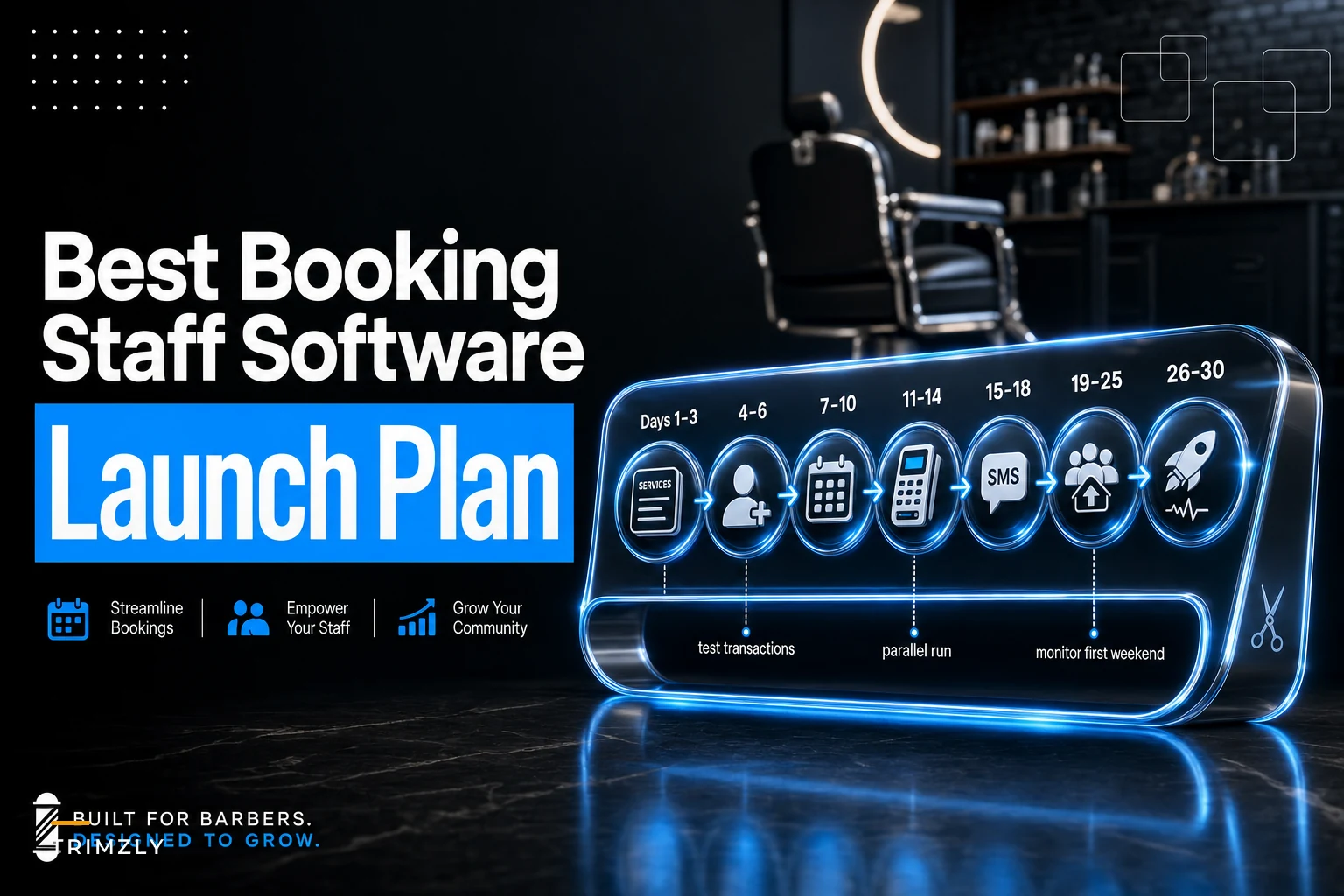

Most barbershop software gets built for one of two extremes: the solo barber running everything off a phone, or the regional chain with a dedicated ops manager. If you've got 3 to 6 chairs in one spot, you sit in an awkward middle. You need real staff scheduling, reliable SMS reminders, a POS that doesn't choke on a Saturday rush — but you absolutely do not need a $300/mo platform with franchise reporting dashboards you'll never open.
This guide keeps the scope narrow on purpose. One location. A handful of barbers. A hard price cap of $150/mo total. We'll cover the selection criteria that actually matter at this size, profile five vendors worth a real look, drop a comparison table, and give you a 30‑day rollout checklist so you don't torch your bookings during the switch.
The five criteria that actually matter at 3–6 chairs
When you only have a handful of barbers, your software math is different. A feature that saves a 10‑location owner 20 hours a week might save you 25 minutes. The filter has to be ruthless.
Here's what actually matters for a shop your size — and what you can safely ignore.
Price ceiling, total, not per‑seat. This is the one people blow first. A platform advertised at $29/mo sounds fine until you realize it's $29 per barber. At five chairs that's $145 before add‑ons, and payments processing isn't even in that number. Always calculate your real monthly cost at your actual headcount plus one — you'll hire. If it clears $150 all‑in, it's out for this list.
Integrated POS and payments. The biggest time sink in small shops is the disconnected checkout — booking lives in one app, the card reader is a separate Square terminal, and tips get reconciled by hand at close. When booking and payments live in the same system, the barber taps "complete," the card runs, the tip gets logged to the right person, and the appointment closes itself. No double entry. For a shop doing a few hundred cuts a month, that's the difference between a clean nightly close and a 20‑minute headache.
SMS reminders that actually send. Email reminders are nearly worthless for walk‑in‑heavy barber clientele. Text is non‑negotiable. What matters is whether SMS is included or metered — some vendors bundle a generous allowance, others charge per message and it creeps up fast. A shop sending reminders plus confirmations can easily hit 600–800 texts a month. At a couple cents each, manageable. At a dime each, you'll feel it.
Simple roster and shift scheduling. Not shift bidding. Not labor‑cost forecasting. You need to set who works which chair which day, handle a swap when someone's kid gets sick, and let barbers check their own schedule on their phone. That's it. Overbuilt scheduling modules are where small shops waste the most setup time.
Onboarding speed. If it takes three weeks and a paid "implementation specialist" to go live, it's the wrong tool for a 4‑chair shop. You want to import your services, add your barbers, connect a reader, and be taking bookings inside a few days.
Calculate your total monthly cost at your actual headcount plus one before you sign up.
Notice what's not on this list: marketing automation suites, loyalty engines, multi‑location inventory sync. Those are fine problems to solve later. At this size they're distractions that inflate both the price and the learning curve.
The five picks
These are vetted against the criteria above. Pricing shifts constantly, so treat the dollar figures as "where they land for a typical 4–5 chair shop" rather than a locked quote. Confirm current numbers before you commit.
Never miss a booking amidst the hustle.
Trimzly helps you schedule, confirm, and manage every client visit seamlessly.
- Unified appointment management
- Automated client reminders
- Optimized staff scheduling
No credit card required
1. Squire
Best for: shops that want a barber‑specific experience end to end. Built specifically for barbershops rather than adapted from a general salon tool, which shows in the booking flow and the barber‑facing app. Clean POS, solid payments, strong client profiles. Pros: purpose‑built for barbers; polished checkout. Cons: sits at the top of our price range once you add chairs; some advanced features are gated to higher tiers. Expected onboarding: about 3–5 days.
2. Booksy
Best for: shops that want to be found by new clients. Booksy doubles as a consumer marketplace, so your shop shows up when someone nearby searches for a cut. Decent reminder system, straightforward scheduling. Pros: marketplace visibility brings in walk‑in‑style bookings; easy for clients to use. Cons: the marketplace model means you're one tap away from competitors; POS depth is lighter than Squire. Expected onboarding: 2–4 days.
3. Square Appointments
Best for: shops that already live on Square hardware. If you've already got a Square reader, this is the path of least resistance. Appointments integrates natively with Square's POS and payments, and the base tier is genuinely cheap for a small team. Pros: very fast setup; payments and booking truly unified; low entry cost. Cons: roster tools are basic; not barber‑specific, so some workflows feel generic. Expected onboarding: 1–2 days.
4. Vagaro
Best for: shops that want roster and staff tools without jumping tiers. Vagaro's staff‑management side is deeper than most at this price — shift scheduling, payroll‑adjacent reporting, commission tracking that works out of the box. Pros: strongest roster/shift tooling of the group; good value. Cons: interface is busier; the breadth can slow down initial setup. Expected onboarding: 4–6 days.
5. Fresha
Best for: shops that want to keep software cost near zero and pay on transactions. Fresha's subscription is free; it makes money on payment processing and new‑client fees. For a lean shop watching cash, that's an attractive structure. Pros: no monthly subscription floor; full‑featured booking and POS. Cons: the fee model can cost more than a flat plan if you process heavy volume; support can be slower. Expected onboarding: 2–3 days.
Comparison at a glance
There's a lot of noise in the "best barbershop software" space, and most comparison articles are just repackaged vendor marketing. The table below is based on what a 4–5 chair shop realistically runs into — not the best‑case scenario from a sales page.
| Vendor | Typical cost (4–5 chairs) | POS/payments | SMS reminders | Roster/shift tools | Onboarding |
|---|---|---|---|---|---|
| Squire | ~$120–150/mo | Strong, native | Included | Good | 3–5 days |
| Booksy | ~$90–140/mo | Moderate | Included | Moderate | 2–4 days |
| Square Appointments | ~$50–100/mo | Strong, native | Included (tiered) | Basic | 1–2 days |
| Vagaro | ~$90–130/mo | Good | Included | Strongest | 4–6 days |
| Fresha | $0 sub + processing fees | Good | Included | Moderate | 2–3 days |
The costs assume you're not stacking every premium add‑on. The moment you bolt on marketing suites or extra locations, these numbers move — which is exactly why calculating total cost at your real headcount matters more than the sticker price.
Best picks by primary need
If your priority is fast setup → Square Appointments. If you already own a Square reader or want to be live by the weekend, nothing on this list gets you there faster. You can import services and start booking in an afternoon. The tradeoff is thin roster tooling — fine if your scheduling is simple, limiting if you juggle a lot of swaps.
If your priority is POS integration → Squire. The checkout‑to‑payment‑to‑tip flow is the cleanest here because it was designed for barbershops from the start. If your nightly close is currently a reconciliation mess, this is where you'll feel the biggest relief.
If your priority is roster and staff management → Vagaro. When you've got barbers on different schedules, commission splits, and regular shift swaps, Vagaro handles it without pushing you to a pricier tier. It's a little heavier to learn, but the staff side pays that back.
A realistic way to decide: write down the one task that eats the most time in your week right now. If it's Saturday checkout chaos, go POS‑first. If it's the Tuesday "who's working Thursday" text thread, go roster‑first. If you have no system at all and need something today, go setup‑first.
When each of these is the wrong call
Don't pick Fresha if you process high card volume. The free‑subscription model is great until per‑transaction and new‑client fees quietly exceed what a flat $100/mo plan would've cost you. Run the math on your actual monthly card volume before you get seduced by "$0/mo."
Don't pick Booksy if you're protective of your client relationships. The marketplace is a double‑edged sword — it brings discovery, but it also surfaces competitors to your own clients. Shops with a loyal regular base sometimes find the marketplace adds little while the exposure risk isn't worth it.
Don't over‑buy Vagaro if your scheduling is dead simple. Four barbers, same fixed days every week — you're paying for roster depth you'll never touch. Square Appointments does the job for less friction.
And a blanket warning for all of them: don't switch platforms the week before your busiest stretch. If you run heavy in December or before the holidays, migrate in a slow month.
A real scenario
A 4‑chair shop had been running bookings through a free calendar app and checking people out on a standalone card terminal. Reminders went out manually — whoever had a free minute texted clients the night before, which meant it mostly didn't happen.
No‑shows were running somewhere around 12–15% on a typical week, and the Saturday close routinely ran 20–30 minutes past lock‑up because tips and totals had to be matched against the appointment book by hand.
They moved to a unified booking‑plus‑POS setup with automated SMS confirmations. Nothing exotic — reminders that fired without anyone remembering to send them, and a checkout that logged the tip to the right barber automatically. The kind of AI-powered operational software that handles the repetitive, boring stuff so the humans don't have to think about it twice.
Within a couple of months no‑shows settled into the single digits, and the nightly close dropped to a few minutes because the numbers already reconciled themselves. The owner's estimate was that automated reminders alone recovered somewhere around 8–12 appointments a month that would've otherwise just evaporated. At their average ticket, that more than covered the monthly software cost. The time saved at close was the part they actually talked about most.
The lesson isn't "software fixes everything." It's that two specific, boring automations — reminders that always send, and payments tied to the booking — removed the two tasks that depended on a tired human remembering to do them at the end of a long day.
30‑day implementation checklist
Switching booking systems is where small shops get burned, usually by trying to flip everything at once. The sequence below keeps you taking real bookings the whole way through — nothing goes dark while you're still figuring out the new system.
-
Days 1–3
Build your service menu.
Enter every service with real durations and prices. This is the foundation everything else hangs on — if your cut actually takes 35 minutes, don't let the default say 30, or your whole day will run behind. -
Days 4–6
Add barbers and set permissions.
Create a login for each barber. Decide who can see the full calendar versus just their own, and who can process refunds. Keep permissions tight at first; loosen later. -
Days 7–10
Build the roster.
Set recurring shifts and chair assignments. Test a shift swap before you need one for real so you know how it works under pressure. -
Days 11–14
Connect payments and test a live transaction.
Run an actual card through the new reader — your own card, small amount, then refund it. Confirm the tip routes to the right barber. Do not skip the refund test. -
Days 15–18
Set up SMS reminders.
Configure confirmation at booking, a reminder 24 hours out, and a short one a couple hours before. Send a test to your own phone and read it as a client would — tone and timing both matter. -
Days 19–25
Import or rebuild your client list.
Bring over regulars with their contact info and any notes. Run the old and new systems in parallel for this stretch so nothing falls through. -
Days 26–30
Go fully live and kill the old system.
Once a full week has run clean on the new platform, turn off the old calendar and card terminal. Watch the first new‑system Saturday closely — that's your real stress test.
One phase at a time keeps you taking bookings while you're still learning the new platform. Most failed migrations happen when shops try to flip everything over a single weekend and then spend the next two weeks firefighting.
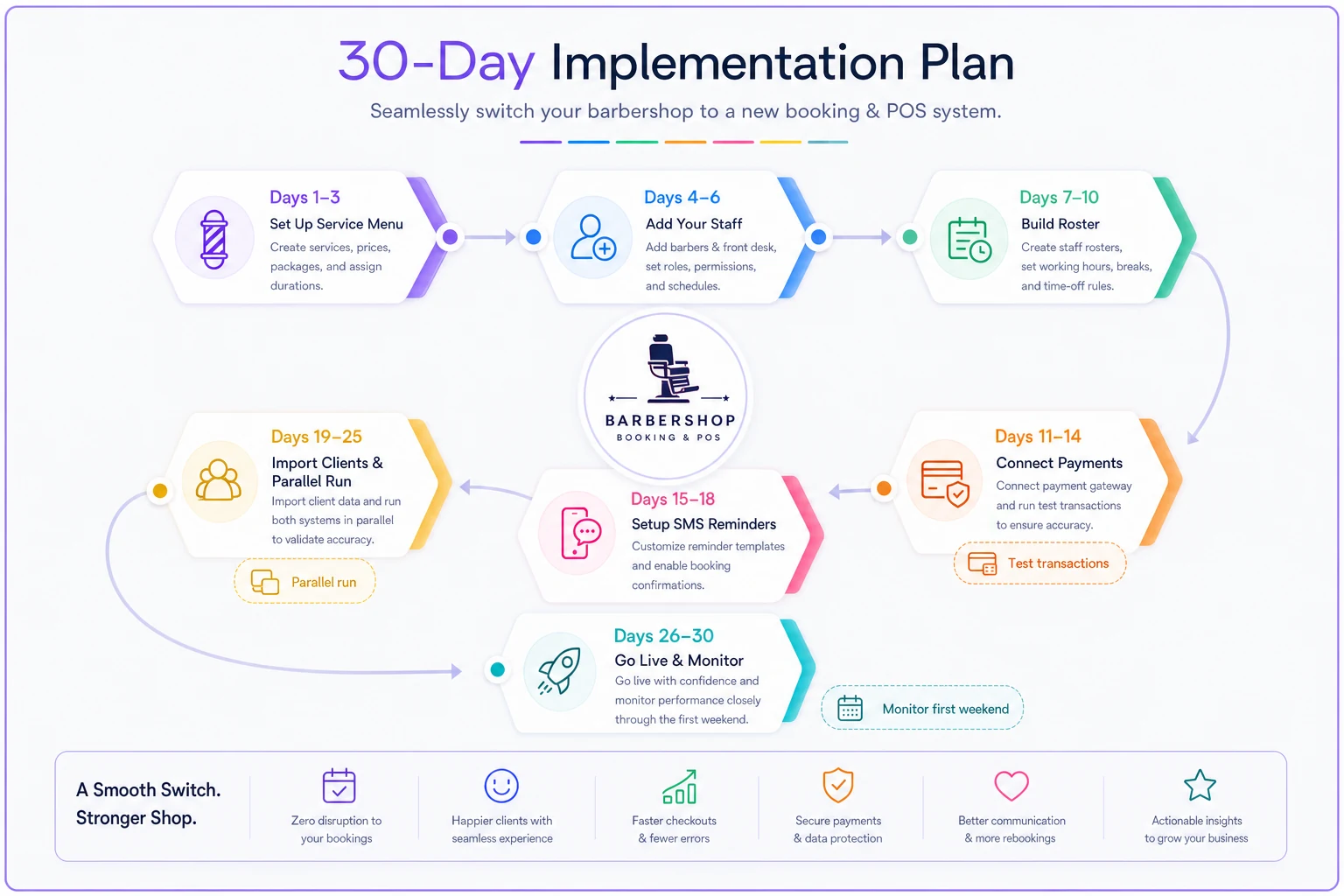
This visual shows the recommended staged rollout so you can keep taking bookings while switching.
If you want the broader financial context for timing a switch like this — when to spend, when to hold — our guide to cashflow, pricing, and staffing moves after the Fed pause covers how to think about operating costs during a tighter cash period.
Short FAQs
How does billing usually work? Most of these are monthly subscriptions with no long contract, billed per month at your plan tier. Fresha flips the model — no subscription, but it earns on payment processing and new‑client fees. Always confirm whether SMS and payment processing are inside your plan or billed separately, because those two line items are where "cheap" plans get expensive.
What hardware do I actually need? Less than you'd think. A tablet or an existing iPad for the front desk, and a compatible card reader. Most vendors sell or bundle a reader; some let you use hardware you already own. You don't need a dedicated POS terminal for a 4‑chair shop — a tablet and a reader cover it.
What's support like at this price? Expect chat and email as the baseline. Phone support is more common on the higher tiers of Squire and Vagaro. Fresha's lower cost sometimes shows up as slower support response. If you're not particularly technical, weigh support quality as heavily as features — a cheaper tool with worse support can cost you more on a broken Saturday than you ever saved monthly.
Can I switch later if I pick wrong? Yes, but it's work. Your services and client list usually export, though appointment history and notes don't always migrate cleanly. That's the strongest argument for getting the initial pick close to right — not perfect, just close — and for keeping good exports of your client data no matter which platform you're on.
Where to land
For most single‑location shops with 3 to 6 chairs, the decision collapses to three practical paths. If you want to be live fastest and already use Square hardware, Square Appointments. If your checkout and tips are a nightly mess, Squire's barber‑built POS. If your headaches live in the schedule and staff side, Vagaro. Booksy and Fresha are smart plays for discovery and for keeping fixed costs near zero, respectively — just go in clear‑eyed about the tradeoffs each one carries.
Whatever you choose, the win isn't the software itself. It's offloading the two or three repetitive tasks that currently depend on someone remembering to do them at the end of a long day. Pick for the problem that's hurting now, follow a staged rollout so you never stop taking bookings, and keep the total cost honest at your real headcount.
Whatever you choose, the win isn't the software itself. It's offloading the two or three repetitive tasks that currently depend on someone remembering to do them at the end of a long day. Pick for the problem that's hurting now, follow a staged rollout so you never stop taking bookings, and keep the total cost honest at your real headcount.
Ready to elevate your barbershop operations?
Join 500+ barbershops using Trimzly to save time, reduce scheduling conflicts, and enhance client satisfaction.