

Most barbershop owners buy software the wrong way. They watch a slick demo, get sold on one feature they happen to care about that week, sign a contract, and then spend the next two years working around everything the platform can't do. The switching cost is high enough that most shops just live with it.
The problem isn't that the software is bad. It's that the evaluation happened backwards. You should know exactly what you need before you ever let a salesperson control the screen share. This guide gives you that: a prioritized checklist, rough ROI math on the features that actually move money, the integration questions nobody asks until it's too late, a demo script, and a pricing comparison template you can copy.
This isn't about which vendor is "best." It's about making sure the one you pick fits how your shop actually runs.
First, separate must-haves from nice-to-haves
The 30-point checklist
Must-haves (if these fail, walk away):
-
Online booking that works on mobile without the client creating an account
-
Barber-level calendars (not just shop-level) with individual availability rules
-
Automated appointment reminders via SMS and email
-
Deposit or card-on-file capture to reduce no-shows
-
Point of sale that handles services + retail in one transaction
-
Client profiles with service history and notes
-
Staff permissions (so a new barber can't see financial reports)
-
Payroll-ready commission and tip tracking by barber
-
Data export you control (clients, appointments, sales) in a standard format
-
Reporting on revenue per barber, per service, and per chair
-
No-show and cancellation tracking tied to client records
-
Reliable uptime and a real support channel (not just email tickets)
-
Transparent pricing with no per-transaction surprises
-
Waitlist and standby booking for filling last-minute gaps
-
Recurring appointment setup for your regulars
-
Google Business Profile booking integration
-
Retail inventory tracking with low-stock alerts
-
Gift card and package sales
-
Automated rebooking reminders segmented by client type
-
Photo attachment on client profiles for style history
-
Multi-location reporting rollups (if you have or plan a second shop)
-
Review request automation after checkout
-
Membership/subscription billing
-
Marketing email campaigns built in
-
Custom intake forms
-
Tipping prompts on a client-facing screen
-
Loyalty points program
-
Branded mobile app
-
Two-way SMS from the dashboard
-
API access for custom integrations
If a vendor nails 1–13 but is weak on 23–30, that's usually fine. If they dazzle you with a membership engine and a branded app but their barber-level calendar is clunky, that's a problem you'll feel every single day.
The ROI math on the features that actually pay for themselves
Features don't matter in the abstract. They matter because they either save labor hours or recover revenue you're currently losing.
Never miss a booking amidst the hustle.
Trimzly helps you schedule, confirm, and manage every client visit seamlessly.
- Unified appointment management
- Automated client reminders
- Optimized staff scheduling
No credit card required
Automated reminders + deposits. A shop running around 340 appointments a month with a 9% no-show rate is losing roughly 30 slots. At an average ticket of $38, that's just over $1,100 a month walking out the door. Cutting no-shows to 4–5% with reminders and card-on-file recovers maybe $500–$700 monthly. That alone often covers the entire software bill.
Online booking after hours. A meaningful chunk of bookings happen when nobody's at the front desk — evenings, Sunday nights, lunch breaks. Shops that turn on self-serve booking often see 20–30% of new appointments come in outside staffed hours. Those aren't necessarily new clients, but some are bookings that would've gone to a competitor who picked up the phone.
Waitlist / standby fill. If your peak Saturdays run full and you can't backfill cancellations manually, an automated waitlist that pings standby clients recovers most of those slots. Four recovered Saturday slots a month at $40 is another $160 — small, but it compounds.
Rebooking automation. The gap between a shop at 55% rebook rate and one at 70% is enormous over a year. For a barber doing 90 cuts a month, moving even 10% of one-time visits into a return visit adds up fast across a full roster.
| Feature | What it fixes | Rough monthly impact (3–4 chair shop) | Effort to adopt |
|---|---|---|---|
| Reminders + deposits | No-shows | $500–$700 recovered | Low |
| After-hours online booking | Lost bookings | 20–30% of new appts captured | Low |
| Waitlist fill | Unfilled cancellations | $150–$300 recovered | Medium |
| Rebooking reminders | Client churn | Higher lifetime value | Low |
| Retail/inventory tracking | Shrink + stockouts | Varies; fewer lost retail sales | Medium |
Start with your average ticket and current no-show rate to estimate monthly loss before demoing reminder or deposit features.
The point of this table isn't precision — your numbers will differ. The point is to force the question: for each feature in a demo, which column does it belong in, and roughly how much is it worth to me? If it doesn't fit anywhere, it's a nice-to-have.
The integration and data portability checklist most people skip
This is where owners get burned, and it almost never comes up in a demo because vendors have no incentive to raise it. Before you sign, you need to know two things: what this software connects to, and how easily you can leave.
Run through this list with every vendor:
-
Payments Can you use your own processor, or are you locked into theirs? What's the effective rate including any platform markup?
-
Accounting Does it export clean data to QuickBooks or Xero, or will your bookkeeper be re-keying totals every month?
-
Google Business Profile Does booking flow directly from your Google listing, or does the client get bounced to a separate page?
-
Payroll Can commission and tip data export in a format your payroll provider accepts?
-
Client data export Can you pull a full export of clients, contact info, and appointment history anytime — or only when you cancel?
-
Format Is the export a usable CSV, or a locked PDF that's useless for migration?
-
Review platforms Does it connect to Google reviews, or just collect reviews on its own walled-garden page?
Press hardest on data portability. If a vendor gets vague about whether you can take your full client list with you, that's a red flag. Your client relationships are the most valuable asset in the shop, and a platform that holds them hostage has enormous leverage over you at renewal time.
A short vendor interview script for demos
Salespeople drive demos toward their strengths. Take control by asking the same pointed questions to every vendor. You'll learn more from how they answer than from the polished walkthrough.
-
"Show me how a brand-new barber's calendar looks on their first day — what can they see and not see?"
-
"Walk me through exactly what a no-show looks like in the system, from booking to how the fee gets applied."
-
"If I want to export my entire client list and appointment history right now, how do I do it, and what format do I get?"
-
"What's the all-in monthly cost for my setup, including payment processing, SMS, and any per-location fees?"
-
"What happens to my booking page during an outage, and how do I find out there's a problem?"
-
"How many shops my size are on this plan, and can I talk to two of them?"
-
"What does onboarding look like in week one, and who actually does the data import — you or me?"
-
"When I add a second location, what changes in my bill and in how reporting works?"
Ask #3 and #4 early, and don't accept hand-waving. If they need to "check with the team" on your true all-in cost, that cost is probably higher than the headline number.
Red flags to watch for
Some warning signs show up before you ever sign.
A few that reliably predict regret:
-
Pricing that hides the real number. A low base price with SMS, processing, and per-location add-ons stacked on top. Always get the all-in figure.
-
No self-serve data export. If you can only get your data by contacting support, you don't really own it.
-
"That's on the roadmap." Treat roadmap promises as if they'll never ship. Buy for what exists today.
-
Mandatory payment processing at a markup. You lose leverage on rates forever.
-
Long contracts with early-termination penalties. Good software earns renewal monthly. A year-long lock-in suggests they expect churn.
-
Demo that avoids the barber-level view. If they keep showing you the owner dashboard and dodge the day-to-day staff experience, there's usually a reason.
If they keep showing you the owner dashboard and dodge the day-to-day staff experience, there's usually a reason.
A sample RFP / pricing comparison template
Put every vendor into the same grid so you're comparing the real cost of ownership, not the marketing price. Fill one row per vendor.
| Field | Vendor A | Vendor B | Vendor C |
|---|---|---|---|
| Base monthly price | |||
| Per-location fee | |||
| SMS cost (per msg or bundle) | |||
| Payment processing rate | |||
| Required processor? (Y/N) | |||
| Contract length | |||
| Early termination fee | |||
| Setup / onboarding cost | |||
| Full data export available? (Y/N) | |||
| Must-haves passed (out of 13) | |||
| True all-in monthly cost |
The last two rows are the ones that matter. A vendor that passes all 13 must-haves at a slightly higher true cost beats a cheaper one that fails three of them.
A real scenario
A three-chair shop doing roughly 320–350 appointments a month had bought software mainly because it had a loyalty program the owner liked. What it didn't have was card-on-file deposits or a decent waitlist. No-shows ran near 10%, and Saturday cancellations went unfilled.
When they re-evaluated using a checklist like this one, the loyalty feature — the original reason they'd bought in — scored as a nice-to-have. The must-haves they were missing were costing somewhere around $600–$800 a month in lost slots. They switched to a platform that handled deposits, reminders, and standby booking, and kept loyalty as something to revisit later. No-shows dropped to roughly 4–5% within a couple months, and most weekend cancellations started getting backfilled automatically.
The lesson wasn't that the old software was terrible. It's that they'd weighted a nice-to-have like a must-have, and the checklist corrected the math.
Where good software quietly compounds
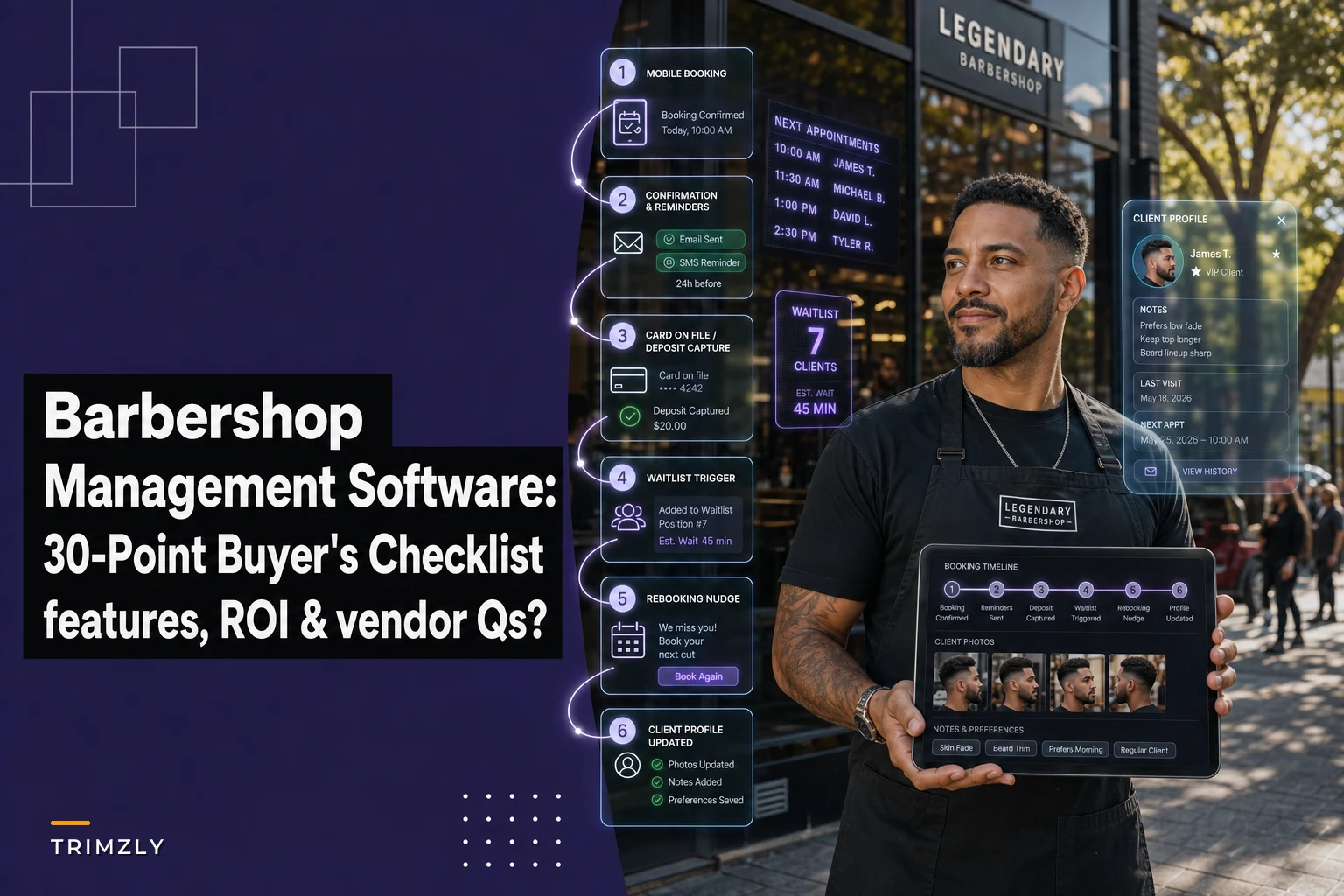
The features worth paying for are the ones that run without anyone thinking about them — the reminder that goes out at the right time, the waitlist that fills a chair before anyone notices it was empty, the client note that flags the specific fade a barber did six weeks ago. Platforms with solid automation handle a lot of this in the background: flagging clients overdue for a rebook, nudging standby clients when a slot opens, surfacing which services and barbers actually drive margin. You don't want software that demands constant attention. You want software that removes decisions from your front desk's plate.
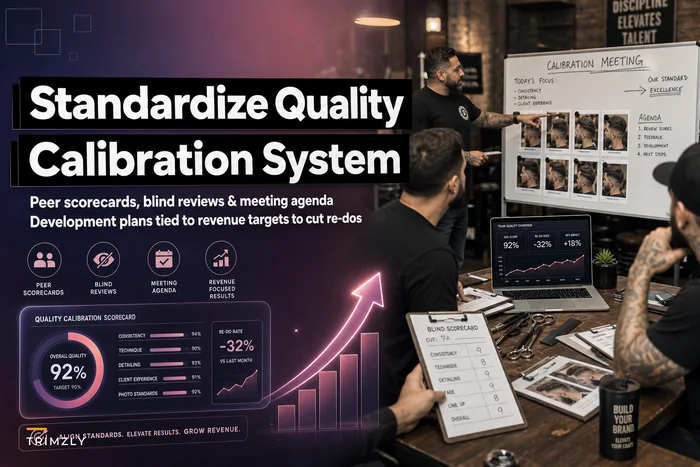
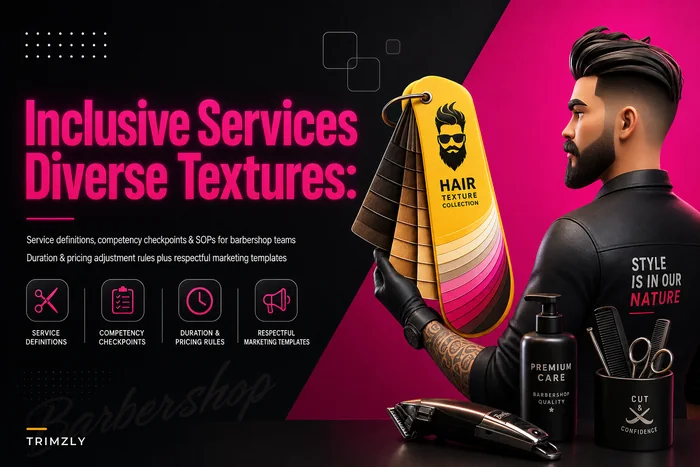
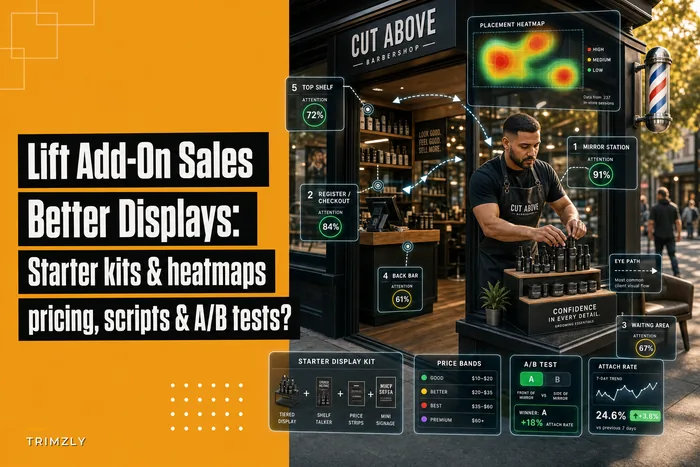
That same consistency matters for quality, too. A system that stores style history and notes feeds directly into keeping cuts consistent across your team — which connects to how you run barber mentoring and calibration to standardize quality and how well you can serve a range of clients, something we dig into in the inclusive services playbook for diverse hair textures. If retail is part of your revenue mix, the inventory and POS side ties directly into your retail merchandising SOP for lifting add-on sales.
A typical automation workflow looks like this:
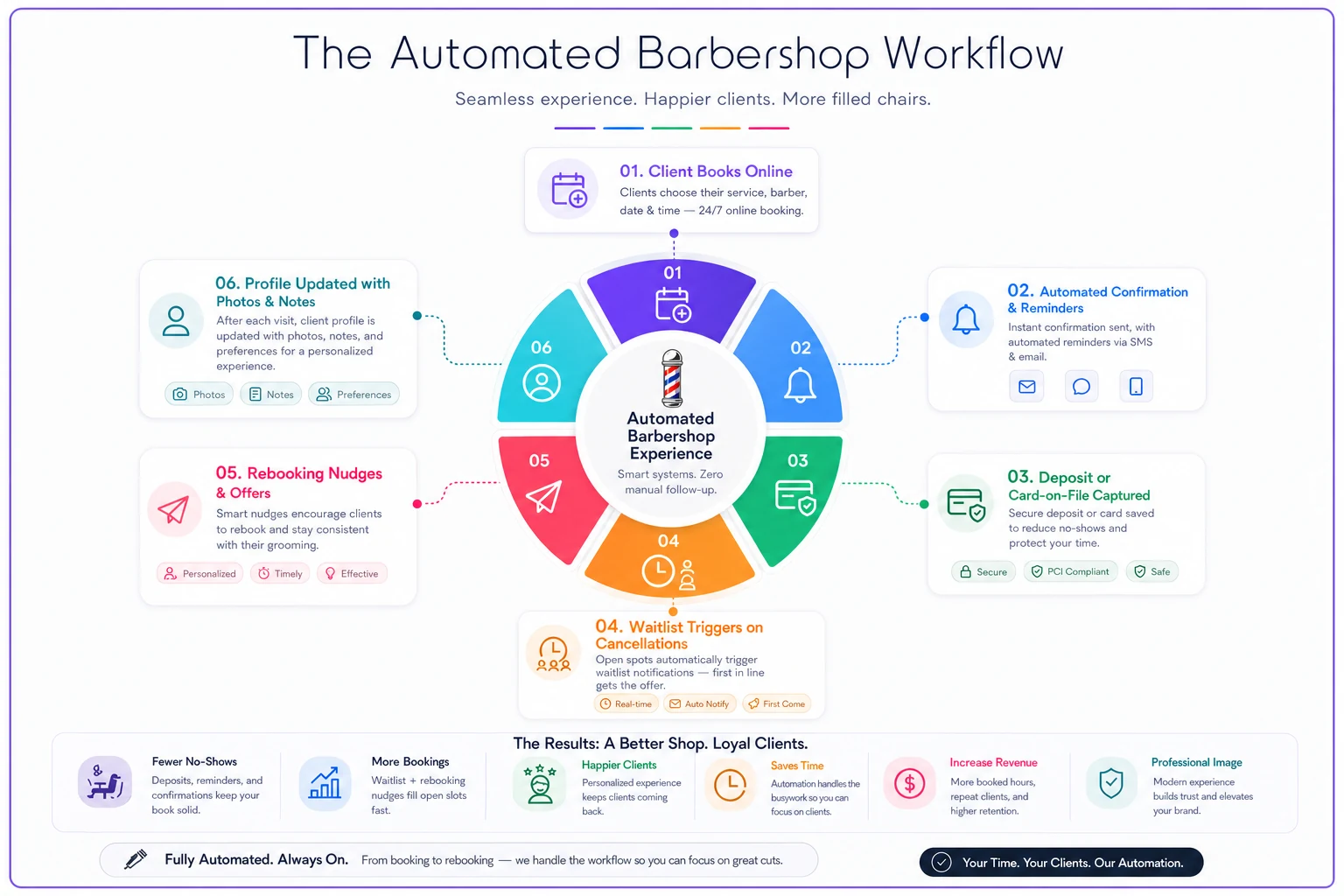
You want those pieces to operate quietly together — reminders reducing no-shows, waitlists filling chairs, and saved client notes improving consistency across staff.
When this careful evaluation makes sense — and when it doesn't
If you're a solo barber doing 60–80 cuts a month with no retail and no plans to hire, you don't need to run a full RFP. A simple, cheap booking tool that handles reminders is fine. Over-evaluating is its own waste of time.
The checklist earns its keep once you have two or more barbers, meaningful retail, a front desk, or any intention of opening a second location. That's the point where the gap between "software I tolerate" and "software that runs the shop" starts costing real money — and where picking wrong means living with it for years.
Buy for the must-haves, run the ROI math on features that touch revenue, press hard on data portability, and make every vendor answer the same eight questions. Do that, and you'll end up with a system that fits your shop instead of one you spend two years working around.
Ready to elevate your barbershop operations?
Join 500+ barbershops using Trimzly to save time, reduce scheduling conflicts, and enhance client satisfaction.