

Most barbershop owners buy software backwards: they pick the nicest booking screen, sign up, and discover months later that it can't split commission the way they pay their barbers or that pulling an end-of-month report requires exporting three CSVs and wrestling with a spreadsheet.
The problem isn't that there's bad software. It's that the feature that matters most for a solo barber renting a chair is nearly irrelevant for a three-location operation, and vice versa. A tool that's perfect at 2 chairs can become a bottleneck at 8.
The real question isn't “what's the best barber shop software” — it's “what do I actually need right now, and what will I need in eighteen months?” This guide breaks that down by shop size and business model, gives a prioritized checklist, a decision matrix, a vendor scorecard, and a payback calculator so you're not guessing whether the monthly fee is worth it.
For clarity: an “appointment-only app” is a lightweight booking tool focused on calendar, client records, and automated reminders; payments are basic and retail/inventory and commission features are minimal or absent. A “POS + inventory suite” pairs scheduling with a full checkout (integrated payments, receipts, gift cards/memberships), SKU-level inventory, staff commission/tip handling, and broader reporting. Start appointment-first to onboard quickly; move to a POS+inventory suite when retail, inventory, or payroll create more manual work than the system saves. Industry guides summarize scheduling benefits like fewer no-shows and lower admin burden (https://blog.miosalon.com/benefits-of-salon-appointment-scheduling-software/).
Start with your business model, not the feature list
Before you look at a single demo, get clear on how your shop actually makes money and pays people. This determines about 80% of what you need.
-
How do your barbers get paid? (booth rent, commission split, hourly, or hybrid)
-
Who owns the client? (do barbers keep their own book or does the shop own the relationship?)
-
Are you selling retail and add-ons? (is product sales a material revenue stream?)
A booth-rent shop where every barber runs their own book barely needs shared client records, but does need clean individual reporting and a way to handle rent collection. A commission shop needs airtight commission math or you'll be recalculating pay by hand every pay period.
The prioritized feature checklist
Not all features carry equal weight. Here's how they usually rank in day-to-day operations, roughly in the order they start to matter as you grow.
Never miss a booking amidst the hustle.
Trimzly helps you schedule, confirm, and manage every client visit seamlessly.
- Unified appointment management
- Automated client reminders
- Optimized staff scheduling
No credit card required
Tier 1 — you cannot operate without these:
-
Scheduling / online booking with self-service, barber-specific calendars, buffers, and quick blocking
-
Client records
contact info, visit history, notes, and style/formula history
-
POS / checkout
take payment, handle tips, and support split payment types
Tier 2 — matters once you have staff or retail:
-
Payroll / commission support
automatic splits, tip tracking, and rent handling
-
Reporting
revenue by barber, service mix, retail attach rate, and rebook rate
-
Inventory
SKU tracking, reorder points, and retail vs. back-bar separation
Tier 3 — growth and retention features:
-
Memberships / packages with recurring billing and redemption tracking
-
Marketing / automation like rebook reminders and review requests
-
Integrations with accounting, payroll, Google Booking, and your other tools
Quick sanity check: if a vendor leads with Tier 3 features but goes vague about commission splits, they likely didn't build the product for shops that need solid pay handling.
The 3×3 decision matrix
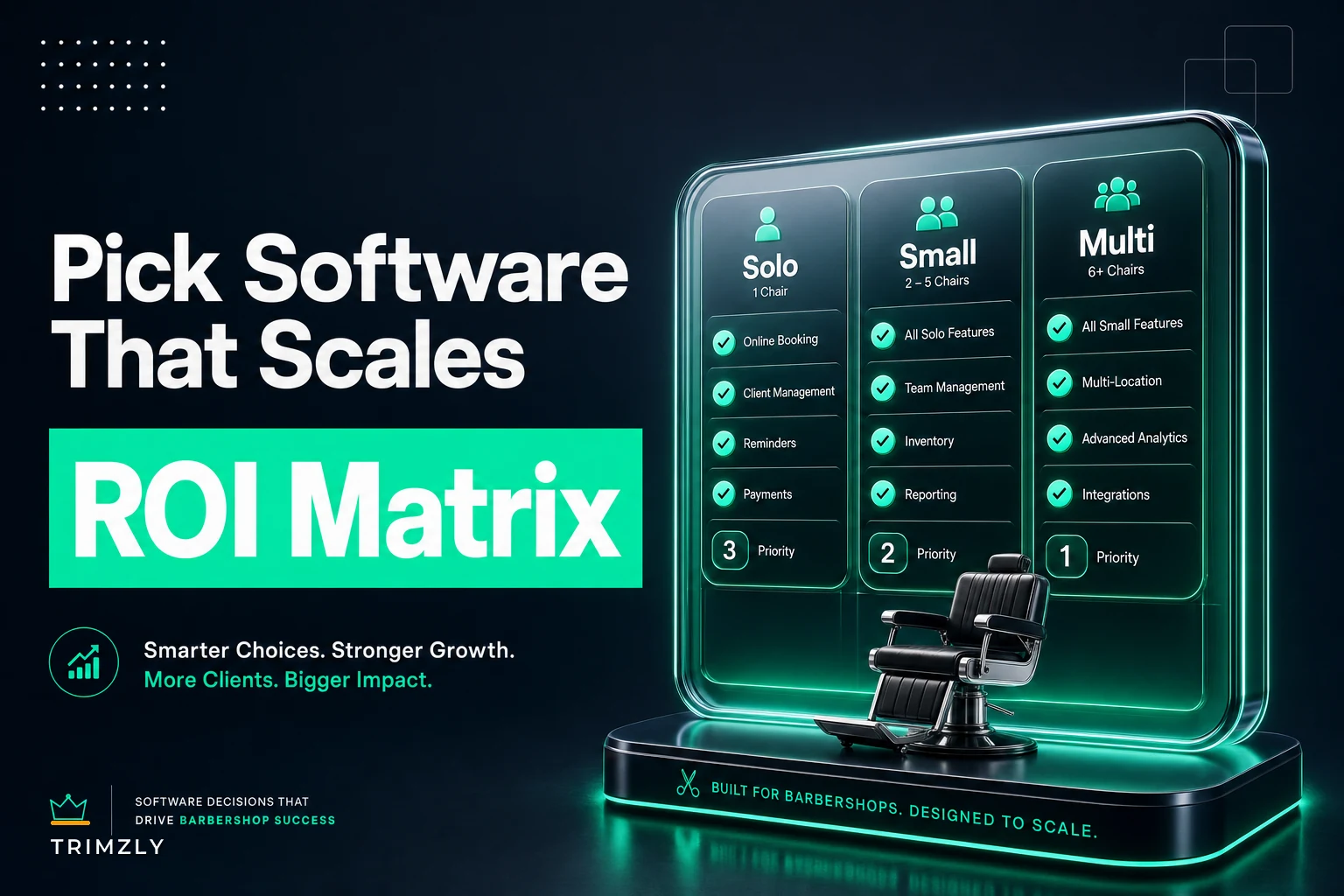
What you should prioritize depends heavily on shop type. This matrix maps feature priority against solo, small, and multi-location shops.
| Feature Area | Solo (1 chair / booth rent) | Small (2–6 chairs) | Multi-location |
|---|---|---|---|
| Scheduling | Critical — self-booking is your front desk | Critical — multi-calendar and resource views | Critical — cross-location visibility |
| Client records | Nice to have, keeps you organized | Important — decide shared vs. private book | Critical — unified client profile across sites |
| POS | Important — simple checkout and tips | Critical — must handle tip-out | Critical — consolidated and location-level |
| Commission / payroll | Low (unless subletting) | Critical — this is your headache | Critical — plus role and permission control |
| Inventory | Low unless you sell retail | Important if retail matters | Critical — per-location stock and transfers |
| Reporting | Basic revenue view is fine | Important — by-barber breakdowns | Critical — location comparison and roll-up |
| Memberships | Optional | Optional — depends on model | Useful — standardize across sites |
| Integrations | Minimal | Accounting and payroll | Deep — the whole stack must connect |
Pattern to notice: solos need scheduling and simple checkout; small shops must solve commission and tip handling; multi-location shops need consolidation and roll-up reporting.
When more software is a bad idea
A few honest calls about when to avoid overbuying:
-
A solo booth renter probably shouldn't pay for a full multi-location platform
-
A shop about to switch pay models shouldn't lock into a tool yet
-
If retail is tiny, don't let inventory features drive your decision
If you need help with retail fundamentals first, see the retail merchandising SOP for barbershops (Lift Add on Sales with Better Displays a Retail Merchandising Sop).
The one-page vendor scorecard
Use this during demos. Score each vendor 1–5 and force yourself to fill in notes — vague answers are often the most useful signal.
| Criteria | Weight | Score (1–5) | Notes |
|---|---|---|---|
| Handles our pay model (commission / rent / hybrid) | ×3 | ||
| Booking experience (client-facing) | ×3 | ||
| Tip and tip-out handling | ×2 | ||
| Reporting we'd actually use | ×2 | ||
| Inventory (if retail matters) | ×2 | ||
| Integrations with existing tools | ×2 | ||
| Ease of daily use for barbers | ×3 | ||
| Support responsiveness and onboarding | ×2 | ||
| Data export and data ownership | ×2 | ||
| Total price vs. value | ×2 |
Multiply each score by weight, add them up, and compare vendors. Weighting matters more than raw scores — a tool that nails booking and pay handling will often beat a flashy platform with poor payroll support.
Score ease of use for the person standing behind the chair. A tool owners love and barbers hate will get worked around and produce garbage data.
Sample pricing thresholds
Use these rough bands to spot when you're overpaying. Prices vary by region and vendor.
-
Solo
roughly $0–$40/month; paying over $50 for a single chair usually buys unused features
-
Small (2–6 chairs)
commonly $60–$200/month; watch per-seat pricing math
-
Multi-location
often $250+/month per location or negotiated bundles; integration and support quality matter most
Watch hidden costs: payment processing rates, SMS/marketing message charges, add-on modules, and onboarding. A cheap subscription with high processing fees can cost far more overall.
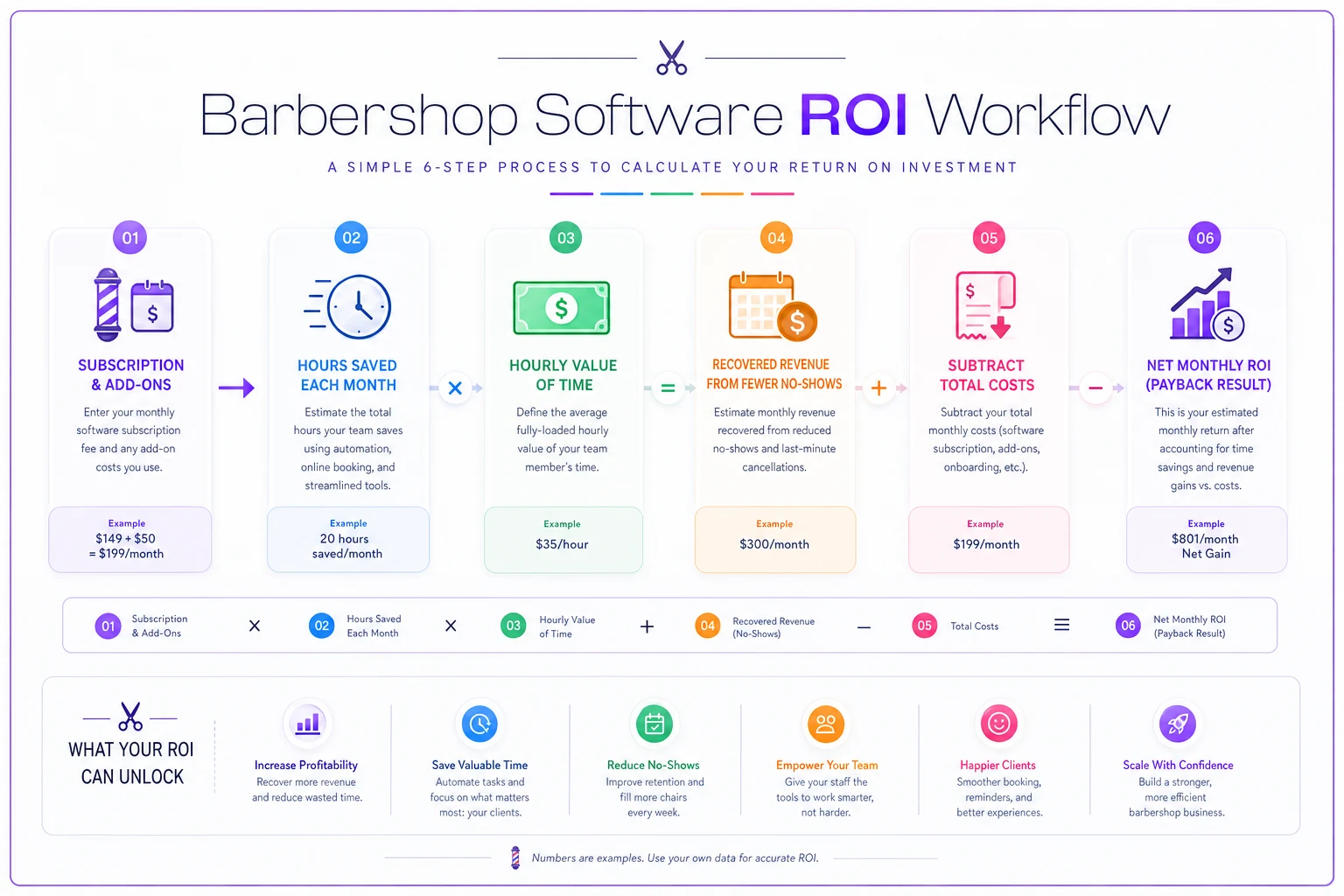
The ROI / payback calculator
Five numbers, no spreadsheet required. Estimate these to see if a tool pays for itself.
-
Monthly cost of the tool — subscription plus realistic add-ons
-
Hours saved per month on admin (scheduling, payroll math, chasing no-shows)
-
Value of that time (hours saved × reasonable hourly rate)
-
Recovered revenue from fewer no-shows and better rebooking
-
Add the savings and recovered revenue, subtract the tool cost to find net value
Example: a 4-chair shop pays $150/month, saves ~10 hours worth $25/hour ($250), and recovers $200 from fewer no-shows — net ≈ $300/month, so the tool pays back quickly.
One often-missed number is commission-calculation time. A shop paying five barbers on split commission can burn half a day every pay period on manual math and disputes; software that fixes that is often the clearest ROI.
A real scenario
A three-barber shop on a booking-first tool that lacked pay handling spent most of a Sunday every two weeks exporting transactions, sorting by barber, applying different splits, subtracting product costs, and reconciling tips. It took 6–8 hours per pay period and caused frequent disputes.
They switched to a platform with native commission handling. Reconciliation dropped to about an hour of review, disputes mostly stopped because barbers could see their numbers in real time, and the owner regained roughly two full days a month.
The subscription cost more than the old tool, but the time savings and reduced disputes made it an easy win. The lesson: buy for the feature that fixes your biggest time sink.
Vendor interview questions
Ask these directly during the demo and insist on specifics, not slides.
-
"Walk me through exactly how you'd handle my pay model — here's how I split." Make them show you.
-
"How does tip-out work at checkout?"
-
"If I leave, how do I export my full client list and history — and in what format?"
-
"What's the real, all-in monthly cost including processing and messaging?"
-
"What does onboarding look like, and who handles the data migration?"
-
"How long does support typically take to respond — phone, chat, or email?"
-
"What happens to my bookings and data during a plan change or price increase?"
Red flags
Take these seriously — they signal a vendor that may not have thought through barbershop operations.
-
Vague answers on pay and commission handling
-
They won't let you export your own data or make it painful
-
Processing rates buried in fine print or revealed after signup
-
No real onboarding support above the solo tier
-
Long contracts with early-termination fees
-
A sales rep who can't answer operational questions and redirects to marketing
A subtler flag: the tool doesn't support how your team actually works — tracking style history, handling your service menu, or usable client-notes. If you rely on software to standardize quality, make sure client-notes and history are usable day to day. See the inclusive services playbook (Inclusive Services Playbook for Diverse Hair Textures Training Pricing) and the mentoring and calibration system (Barber Mentoring and Calibration System to Standardize Quality) for related SOPs.
Making the call
Pick your tier honestly. Match software to your single biggest operational pain — commission and payroll math for small shops, frictionless booking for solos, consolidation for multi-location.
Score finalists on the weighted scorecard, run the payback numbers, and don't buy complexity you won't use for two years.
If you're switching vendors, don't flip the switch mid-week. Move in stages with a real plan to avoid lost appointments and data issues; use a staged migration playbook (Lift Add on Sales with Better Displays a Retail Merchandising Sop) when you're ready.
The right barber shop software isn't the one with the most features — it's the one that disappears into your day and quietly kills the task you hate most.
Ready to elevate your barbershop operations?
Join 500+ barbershops using Trimzly to save time, reduce scheduling conflicts, and enhance client satisfaction.